
Mike OSS Is a Reminder, Not a Referendum. The Signal Is to Build.
Read it as a thank-you and a wake-up call to start learning by building.

Will Chen shipped Mike OSS, an open-source AI legal platform, into the commons last week. Read this as a thank-you and a reminder, not a critique. A practicing lawyer putting working legal-software architecture in the open is exactly the moment the profession needs more of.
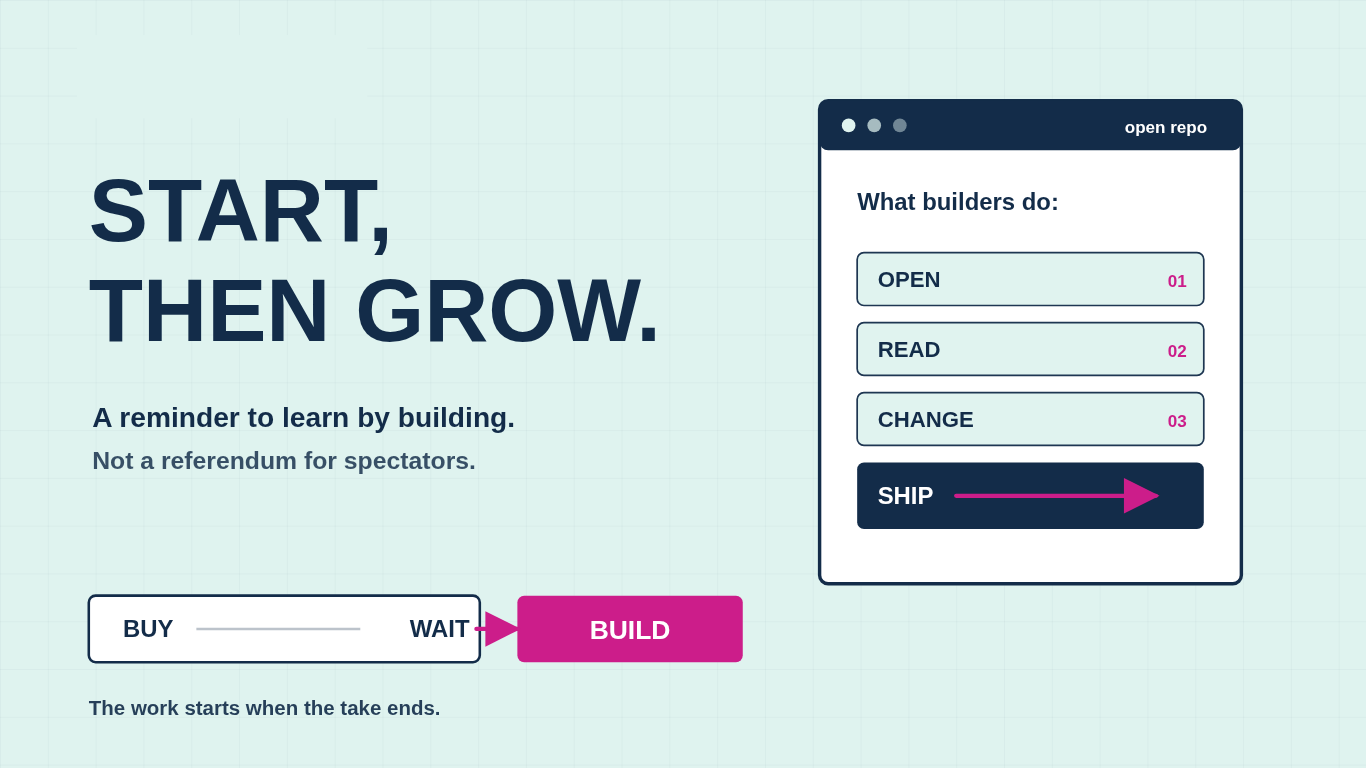
Start, then grow. Will did the start in public. The reminder is for the rest of us.
The discourse missed both the gratitude and the lesson because most legal professionals are watching this AI moment as consumers. They pick a vendor or they pick a critique. Either way they stay passengers in the most consequential shift the profession will see in our careers. Mike OSS is the surface symptom: two tribes arguing about what the repo proves, and almost nobody building anything in response.
The default move is to outsource the read. The anti-vendor camp says Harvey and Legora are overpriced wrappers and Will just proved it. The pro-vendor camp says the YC engineers are right, this is vibe-coded, two commits long, and you should pay Harvey. Pick a tribe, post the take, move on.
Neither tribe of traditional lawyers is reading the code, and neither is teaching. You stay outside the work, dependent on someone else’s framing for what good looks like. Nobody opened the repo. I did.
So I thought it would be helpful for those learning to build, to get a feel for what I saw.
What’s good
A real scaffold. Next.js on the App Router. Express and TypeScript backend. Supabase for auth and Postgres. S3-compatible object storage. LibreOffice, mammoth, and pdfjs for ingestion across DOCX and PDF. fast-diff for redline-style comparison. Anthropic SDK and Google’s GenAI SDK both wired in, so the model layer is vendor-flexible from day one. AGPL-3.0 license, a deliberate signal that this is a contribution to the commons, not a venture in disguise. The hard, boring parts of legal software are here: document parsing across formats, auth, storage, file uploads, a working frontend, a redline pipeline. Will did real work.
What needs work
Will’s own issue tracker has the headlines, and the schema confirms them.
Row-level security is enabled on exactly one table out of seventeen. Every project, document, chat, workflow, and tabular review table has RLS off. The backend uses Supabase’s service-role key, which bypasses RLS by design, so all isolation lives in application code with no database safety net. One missed auth check anywhere and a tenant reads another tenant’s documents.
A filed authorization bypass on `/chat/create` accepts a caller-supplied `project_id` and creates a chat without verifying access. Cross-tenant injection is one curl command away.
A plaintext log file, `claude-raw-stream.log`, captures every Claude streaming event. Full user messages, full document context, full assistant responses, written to the repo root with no rotation and no environment gate. On a legal platform, that single file is GDPR and SRA exposure in one artifact.
The download-token signing logic falls back to a hardcoded `”dev-secret”` when the env var is missing, with no startup error. Anyone can forge download URLs against a misconfigured deployment.
No tests. No evals. No CI. No Dockerfile. No backend linter.
Closing those gaps is real work: RLS done right, route-level auth, log and secret hygiene, evals tied to your matter types, retrieval over firm content, multi-tenant ops, security review, support. That is most of what Harvey and Legora charge you for, and it deserves real respect. Hard things take skill and discipline, and the teams doing them at scale are doing the work.
The signal
Both things are true at once. Will’s start has value because someone shipped it. The vendors’ polish has value because someone has to build it. The gap between them is the invitation.
Building has always been good. The new part is that it does not have to be a developer doing it anymore. Lawyers and legal professionals with the right skills can ship architecture into the commons the way Will did, build on top of what others ship, and make decisions across vendor and open source with a builder’s eye instead of a fan’s. “Build” is now a real third option alongside “buy” and “wait,” and the people who choose it are the people who shape what comes next.
How to go look without hurting yourself
The cheapest read costs you nothing. Open the repo in your browser. Look at `backend/migrations/000_one_shot_schema.sql` and notice that `enable row level security` appears exactly once across seventeen tables. Open the issues tab and read the four security tickets in order. Twenty minutes, no install, no clone. You will already understand more about the legal-AI build problem than most of the partners on your last innovation call.
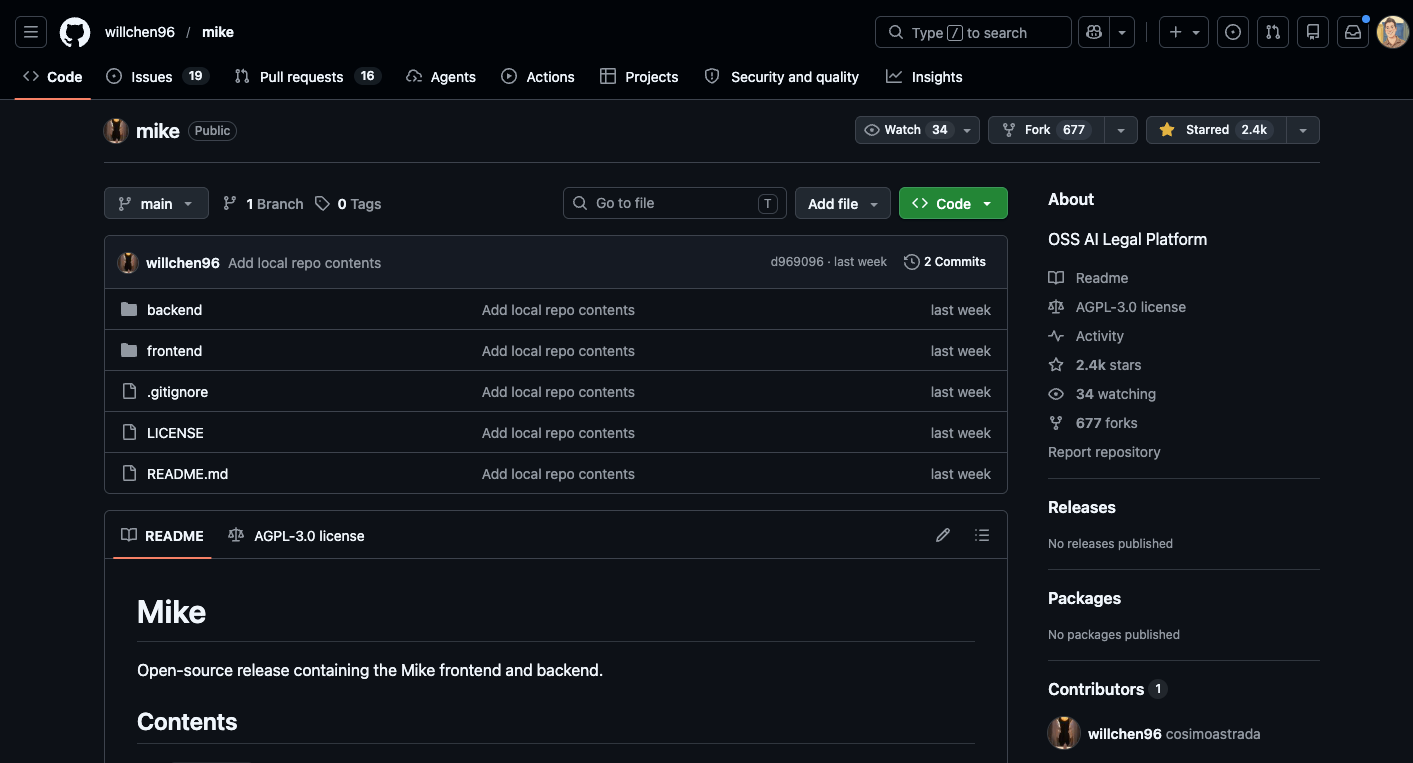
If that makes you curious enough to actually run it, treat it the way you would treat a matter under an NDA. This is how you safely learn and test. The goal is not “get it running as fast as possible.” The goal is: read first, sandbox second, do not deploy.
The safest mindset
Scroll down and get a step by step tutorial on how to do this safely. Remember, Cloning the repo is not the risky part. The risky part is the moment you give unfamiliar code secrets, documents, network access, or a production environment. Read it first. Run it locally. Use fake data. Use a capped throwaway API key. Keep it away from your inbox, shared drives, and client files. Only after the security questions are answered should you consider letting it touch anything real.
Critics react. Builders read the code. Will Chen built Mike OSS. The rest of us get to respond as builders, not as fans, by reading what he shipped and starting our own or forking his and building something new. Go try. Go build.
First run checklist
Before starting the app, ask:
Does it require secrets?
Does it ask for access to real documents?
Does it upload files anywhere?
Does it open a public port?
Does it have unresolved security issues?
Does it have install scripts that run automatically?
Does it require admin privileges?
Does it connect to third-party services?
A safe first run looks like this:
Local machine only.
Synthetic files only.
Fresh API key only.
Low spend cap.
No inbox.
No shared drive.
No production data.
No public tunnel.
No deployment.
Click-by-click: clone the repo with GitHub Desktop
This is the most beginner-friendly path.
Step 1: Open the repo on GitHub
Go to the GitHub page for the project.
Before clicking anything, skim:
The README
Open issues
Recent commits
Install instructions
Any mention of API keys, local files, Gmail, Google Drive, Dropbox, Notion, SharePoint, Slack, or document access
Do not run anything yet.
Step 2: Click Code
On the main repo page, look above the file list and click the green or gray Code button.
Step 3: Click Open with GitHub Desktop
In the dropdown, click Open with GitHub Desktop. GitHub documents this as the path for cloning and opening a repo directly in GitHub Desktop. (GitHub Docs)
Step 4: Choose a safe local folder
When GitHub Desktop asks where to save it, choose a local folder like:
~/Code/sandbox/repo-nameAvoid putting it inside:
~/Documents
~/Desktop
~/Dropbox
~/Google Drive
~/OneDrive
The point is to keep the repo away from real client files, synced folders, and anything that could accidentally upload or expose data.
Step 5: Click Clone
Click Clone. At this point, you have copied the code to your laptop. You have not proven that it is safe to run.
Optional: clone with Terminal instead
For readers who prefer the command line:
Step 1: Click Code
On the repo page, click Code.
Step 2: Copy the HTTPS URL
Choose HTTPS, then copy the repo URL. GitHub supports HTTPS and SSH clone URLs; authentication differs depending on which one you choose. (GitHub Docs)
Step 3: Open Terminal
On a Mac, open Terminal.
Create a sandbox folder:
mkdir -p ~/Code/sandbox
cd ~/Code/sandbox
Step 4: Clone without submodules first
Paste the repo URL into this pattern:
git clone --recurse-submodules=no https://github.com/OWNER/REPO.git
Then enter the folder:
cd REPO
Do not run install commands yet.
What to read before running anything
Before npm install, pip install, docker compose up, or any “quickstart” command, inspect the project.
Look for:
README.md
SECURITY.md
.env.example
package.json
pyproject.toml
requirements.txt
Dockerfile
docker-compose.yml
Makefile
scripts/
Pay special attention to scripts that do things like:
curl ... | bash
sudo ...
chmod +x ...
rm -rf ...
open ports
upload files
connect to Gmail
connect to Drive
connect to Slack
read ~/Documents
read ~/.ssh
read ~/.config
For Node projects, inspect package.json scripts before installing:
cat package.json
For Python projects, inspect dependencies before installing:
cat requirements.txt
cat pyproject.toml
For Docker projects, inspect the container setup before running it:
cat Dockerfile
cat docker-compose.yml
Set up a throwaway API key
Use a fresh API key for this repo only. Do not reuse your production key.
For Anthropic, the Claude API has spend limits that set a maximum monthly cost an organization can incur, separate from rate limits. (Claude)
For Gemini, Google says the Gemini API supports monthly spend caps at the billing-account and project levels, though not for invoiced/offline accounts. (Google AI for Developers)
Recommended rule:
One repo = one fresh key = one low spend cap = delete it when done.
Use something like:
ANTHROPIC_API_KEY=your_throwaway_key
or:
GEMINI_API_KEY=your_throwaway_key
Put it in a local .env file only if the project expects that. Never paste keys into code. Never commit .env.
Before running anything, confirm .env is ignored:
cat .gitignore
If .env is not listed, add it before doing anything else:
echo ".env" >> .gitignore
Use fake data only
Create a small test folder:
mkdir synthetic-test-docs
Put in harmless fake files:
sample-contract.txt
sample-email.txt
sample-policy.txt
sample-invoice.txt
The contents should be obviously fake:
This is a synthetic test contract between ExampleCo and Demo LLC.
No real client, customer, employee, legal, medical, or financial data appears here.
Do not connect the repo to:
Your inbox
Your document management system
Google Drive
Dropbox
OneDrive
SharePoint
Notion
Slack
A client folder
A production database
Run it locally, not on a server
Do not deploy the app to Vercel, Render, Railway, Fly.io, AWS, GCP, Azure, or a public VPS just to “see what happens.”
Run it on your laptop.
Prefer local URLs like:
http://localhost:3000
http://127.0.0.1:8000
Avoid commands that expose your machine to the internet, such as:
ngrok
cloudflared tunnel
ssh -R
until you understand exactly what the app does.