
Your First Claude Code Plugin: From Install to Ship in One Afternoon
Stop installing plugins that almost fit. Build your own in an afternoon and stop being a tool consumer.

Anthropic shipped Claude Legal Solutions this quarter. A curated, organized lineup of plugins for commercial legal, corporate, IP, and litigation, paired with connectors into major players. Harvey, TR, NetDocs, and many more. Plus some great access to justice players. It’s exactly what they’ve spent the past year telegraphing: structured packages of capability you can install, run, and edit. Not closed tools. Editable starting points.
Most people will treat it the way they treat any vendor release. Wait for a colleague to test it. Read a few hot takes on LinkedIn. Forward a link to legal Ops with thoughts?” and call that engagement.
Don’t.
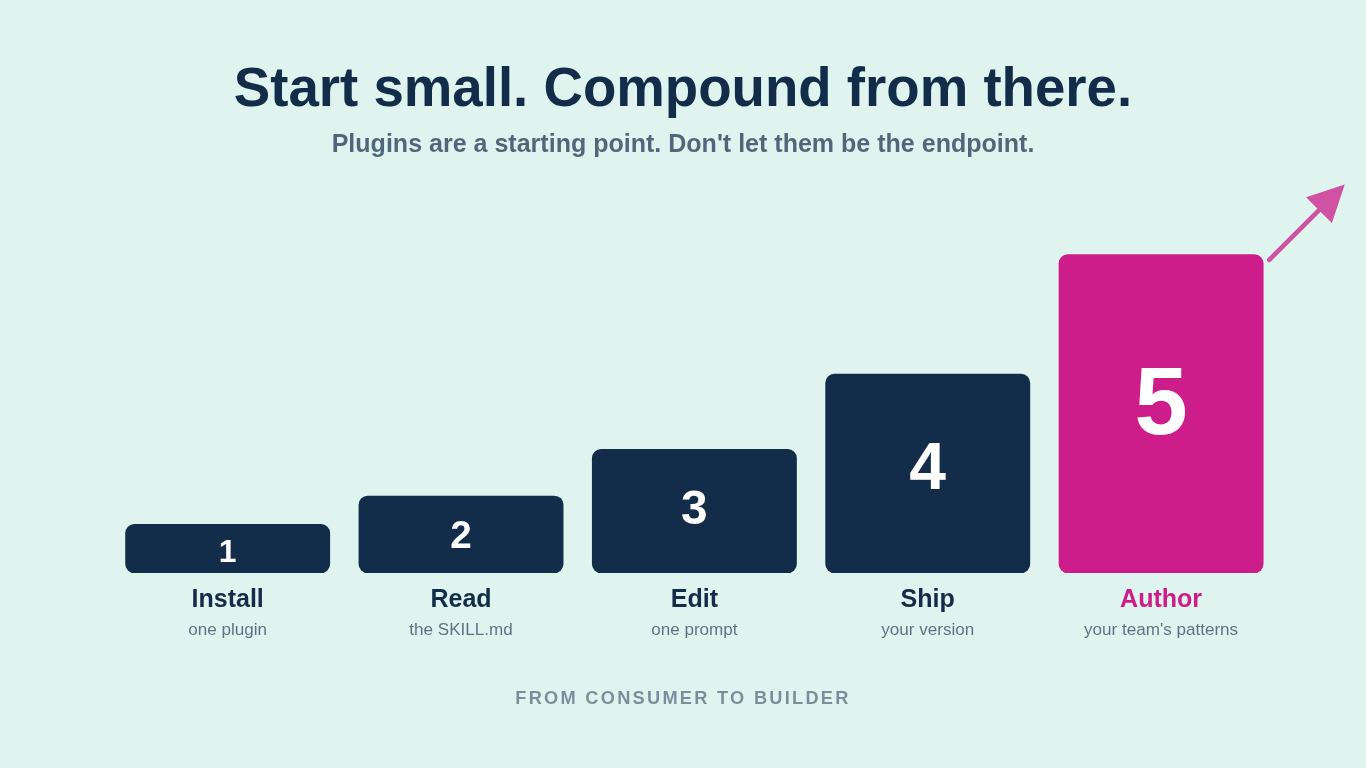
Go install one this week. Open the files. Read the SKILL.md. See exactly what’s being told to the model. Try it on a real workflow you ran last Tuesday. Then notice the seam, the one place it doesn’t quite match how your team operates, and fix it. Not by re-explaining the same context every session. By editing the plugin.
That’s the move Anthropic has been telegraphing all year. The plugins are scaffolds, not finished products. The marketplace is a starting kit, not a closed product line. The moment you edit one and ship your own version, you stop being a consumer of legal AI tooling and start being an author of it.
The build is in reach. The Anthropic docs walk you through it in about an afternoon. Here’s the path I followed when I built mine
What you're actually building
A Claude Code plugin is a directory with one required file: a manifest at `.claude-plugin/plugin.json`. Everything else (skills, agents, hooks, MCP servers) is optional. You add only what you need.
The four pieces you'll meet first.
Manifest (`.claude-plugin/plugin.json`). Name, version, description. Three fields. That's the floor.
Skills (`skills/<name>/SKILL.md`). A markdown file with YAML frontmatter that gives the model instructions for a specific task. Claude decides to use it based on the description (model-invoked) or you trigger it explicitly with `/plugin-name:skill-name`.
Agents (`agents/<name>.md`). A packaged subagent with its own system prompt, tools, and execution context. Use these when you want autonomous work done inside a larger task.
Hooks (`hooks/hooks.json`). Event handlers that fire before or after tool use. Powerful. Easy to misuse. Skip on your first build.
The official reference lives at code.claude.com/docs/en/plugins. Treat it as your source of truth. Everything below is orientation; that page is the spec.
The eight steps
1. Pick a workflow you do every week. Not a vague aspiration. A specific task. "Every time I draft a client memo, I run the same five checks: facts straight, citations Bluebooked, privilege-marked, deadlines flagged, distribution list verified." That's a plugin. So is "every time I open a new matter, I walk the same intake interrogation." Concrete is the bar.
2. Read one plugin before you write one. Install one from a marketplace and read its files. Mine is at github.com/PossibLaw/PossibLaw-Plugins if you want a legal-specific example. `possiblaw-vibe` is a design-grill plugin built on Matt Pocock's grill-me pattern. Reading working code shortcuts the abstraction.
3. Scaffold the directory.
my-plugin/
  .claude-plugin/
    plugin.json
  skills/
    my-workflow/
      SKILL.md
Warning from the docs: do not nest `skills/`, `agents/`, or `hooks/` inside `.claude-plugin/`. Only `plugin.json` lives there.
4. Write the manifest.
{
  "name": "my-plugin",
  "description": "What this does in one sentence.",
  "version": "1.0.0"
}
Version it from day one. Semver. You will ship updates.
5. Write the skill. Open `skills/my-workflow/SKILL.md`. The frontmatter:
---
description: Runs the five-check memo review (facts, citations, privilege, deadlines, distribution).
---
Below the frontmatter, write the instructions the way you'd brief a new associate on day one. Explicit. Specific. With examples. If the skill should ask the user something before acting, say so. If it should refuse to write anything until a condition is met, say so.
One skill, one job. Don't bundle memo review with contract redlining with intake triage. Three skills, three files.
6. Test locally.
claude --plugin-dir ./my-pluginThen run `/my-plugin:my-workflow` inside the session. Edit, save, run `/reload-plugins`, try again. Each pass tightens the prompt.
7. Add an agent only if you need one. Skills handle "do this specific task" cases. Agents handle "go run this autonomous loop and report back." If you find yourself wanting Claude to research, then test, then report, that's agent territory. Same pattern: markdown file in `agents/`, frontmatter declares description and tools, the body is the system prompt.
8. Publish via a marketplace. Create a separate repo for your marketplace (or reuse one you have). Add a `.claude-plugin/marketplace.json` listing your plugin. Then anyone (your team, your colleagues, a client) can install with:
/plugin marketplace add yourorg/your-marketplace
/plugin install my-plugin@your-marketplace
That's the distribution loop. From there it's iteration: use it in a real session, see what breaks, refine, ship a new version.
The reframe
The moment you commit your first `plugin.json` to a repo, you've crossed a line. You stopped being a tool consumer. You became a tool author.
That shift compounds. The next workflow you spot, you'll see it as a plugin candidate, not a recurring annoyance. The next time Anthropic ships something new, you'll fork it and shape it instead of installing it raw. Your team starts running your patterns instead of someone else's.
That's what builder means in practice. Not "I write code." It means the systems you rely on are the ones you shaped.
Start with one workflow. Ship a plugin this week.